

Resources to Help You Get the Most Out of NobelSMS Everything you need to launch, manage, and optimize your SMS campaigns—brought together in one place.
Knowledge base Our Knowledge Base provides you with step-by-step instructions and best practices, enabling you to maximize the platform's potential.

 Dashboard Overview Your central hub for all SMS-related matters. Learn how to navigate menus, track balances, and monitor campaigns. Learn More
 Campaign Setup From drafting your first message to scheduling and sending bulk campaigns, here’s everything you need. Learn More
  Contact Management Organize your audience like a pro. Import lists, create groups, and apply filters for smarter targeting. Learn More
  Message Templates Save time by creating reusable SMS templates that keep your tone consistent. Learn More
 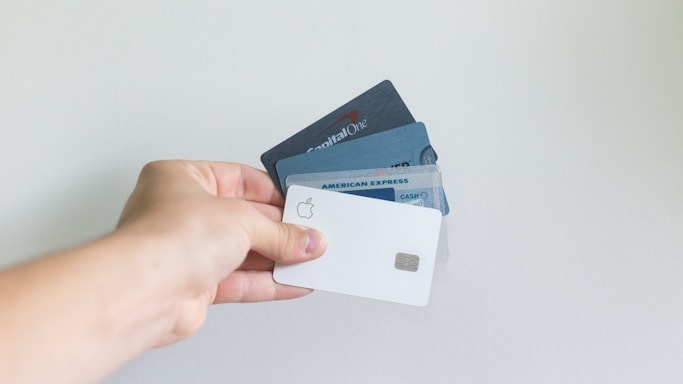 Payments & Credits Easily top up your account, track spending, and manage your billing securely. Learn More
 Quickstart Copy working code for authentication, sending SMS, and checking delivery status — pick your language and paste it straight into your project.
NodeJs
Python
PHP
- Authenticate
- Get Balance
- Send a Single SMS
- Send Bulk SMS
/**
 * NobelSMS Payment API — reference client.
 *
 * A small, dependency-free client for the NobelSMS gateway.
 * Uses only built-in Node.js APIs (Node 18+, for global `fetch`).
 *
 * Flow:
 *   1. login()       -> get an access token
 *   2. getBalance()  -> check remaining credit
 *   3. sendSms()     -> send one or many messages (same endpoint for both)
 *
 * Everything goes through the `NobelSmsClient` class, which holds the token
 * so callers don't have to pass it around manually.
 */

const BASE_URL = "https://payment-api.nobelsms.com/api/v1";

// The API wants an app identifier on several headers (x-source-platform,
// x-source-host) and in the login body (sendFrom). It can be any string —
// we set it once here so it's consistent everywhere.
const APP_NAME = "MyApplication";

// A sender ID (sendFrom on each message) is limited to 11 characters by the
// gateway. We validate against this before hitting the network.
const MAX_SENDER_LENGTH = 11;

/** Raised for any API-level or transport failure. */
class NobelSmsError extends Error {
  constructor(message) {
    super(message);
    this.name = "NobelSmsError";
  }
}

class NobelSmsClient {
  /**
   * Thin wrapper around the NobelSMS endpoints.
   *
   * Typical usage:
   *   const client = new NobelSmsClient();
   *   await client.login("your.username", "your.password");
   *   console.log(await client.getBalance());
   *   await client.sendSms([{ ... }]);
   */
  constructor(appName = APP_NAME, baseUrl = BASE_URL) {
    this._appName = appName;
    this._baseUrl = baseUrl.replace(/\/+$/, "");
    this._token = null;
  }

  // -------------------------------------------------------------------- //
  // Internal helpers
  // -------------------------------------------------------------------- //

  /**
   * Send a JSON request and return the decoded JSON response.
   *
   * `authenticated = true` automatically attaches the Bearer token, so
   * individual methods don't repeat that boilerplate.
   */
  async _request(method, path, { headers = {}, body = null, authenticated = true } = {}) {
    const allHeaders = { "Content-Type": "application/json", ...headers };

    if (authenticated) {
      if (this._token === null) {
        throw new NobelSmsError("Not logged in — call login() first.");
      }
      allHeaders["Authorization"] = `Bearer ${this._token}`;
    }

    let response;
    try {
      response = await fetch(`${this._baseUrl}${path}`, {
        method,
        headers: allHeaders,
        // Only attach a body when there is one (e.g. not on a GET).
        body: body !== null ? JSON.stringify(body) : undefined,
      });
    } catch (err) {
      // Network-level failure (DNS, connection refused, timeout, ...).
      throw new NobelSmsError(`${method} ${path} failed: ${err.message}`);
    }

    if (!response.ok) {
      // Surface the server's error body — it usually explains *why*.
      const detail = await response.text();
      throw new NobelSmsError(`${method} ${path} -> HTTP ${response.status}: ${detail}`);
    }

    return response.json();
  }

  // -------------------------------------------------------------------- //
  // Public API
  // -------------------------------------------------------------------- //

  /**
   * Authenticate and cache the access token for subsequent calls.
   * Returns the token in case the caller wants to store or inspect it.
   */
  async login(username, password) {
    const payload = await this._request("POST", "/sms-plugins-gate/login", {
      headers: { "x-source-platform": this._appName },
      body: {
        username,
        password,
        sendFrom: this._appName,
      },
      authenticated: false, // no token yet — this call is what gets us one
    });

    this._token = payload.accessToken;
    return this._token;
  }

  /**
   * Fetch the current account balance.
   *
   * Response shape:
   *   {
   *     "id": 1234,
   *     "car_id": 1234,
   *     "balance_updated": "2026.01.01 12:12:12",
   *     "currency_code": "EUR", // OR "USD"
   *     "balance": 12.33
   *   }
   */
  async getBalance() {
    return this._request("GET", "/sms-plugins-gate/current-balance", {
      headers: { "x-source-host": this._appName },
    });
  }

  /**
   * Send one or more SMS messages.
   *
   * The endpoint is always "bulk" — a single message is just an array with
   * one item, so there's no separate single-send method to maintain.
   *
   * Each message is an object:
   *   {
   *     sendTo:   "+14047241937",  // valid phone number
   *     sendFrom: "MyApp",         // sender name, max 11 chars
   *     message:  "Hello!",        // over 160 chars is sent as 2 SMSs
   *     country:  "US"             // ISO country code
   *   }
   *
   * Returns a summary with per-message delivery details.
   */
  async sendSms(messages) {
    // Validate locally so an obvious mistake fails fast, before the
    // round-trip to the server.
    for (const message of messages) {
      if (message.sendFrom.length > MAX_SENDER_LENGTH) {
        throw new Error(
          `sendFrom '${message.sendFrom}' exceeds ${MAX_SENDER_LENGTH} characters.`
        );
      }
    }

    return this._request("POST", "/sms-plugins-gate/bulk-send-sms", {
      headers: {
        "x-source-platform": this._appName,
        "x-source-host": this._appName,
      },
      body: messages,
    });
  }
}

// ---------------------------------------------------------------------- //
// Example run
// ---------------------------------------------------------------------- //

async function main() {
  const client = new NobelSmsClient();

  // 1. Authenticate.
  // TODO: Use your own credentials (and keep them out of source control).
  await client.login("your.username", "your.password");

  // 2. Check the balance.
  const balance = await client.getBalance();
  console.log(`Balance: ${balance.balance} ${balance.currency_code}`);

  // 3. Send a single message (array with one item).
  // TODO: Change to a real number to test yourself.
  const result = await client.sendSms([
    {
      sendTo: "+14047241937",
      sendFrom: "MyApp",
      message: "Hello!",
      country: "US",
    },
  ]);
  console.log("# Sending 1 SMS...");
  console.log(`Sent ${result.sentCount}, rejected ${result.rejectedCount}`);

  // 4. Send several messages in one request.
  // TODO: Change to real numbers to test yourself.
  const bulk = await client.sendSms([
    { sendTo: "+14047241937", sendFrom: "MyApp", message: "Msg 1", country: "US" },
    { sendTo: "+14047241938", sendFrom: "MyApp", message: "Msg 2", country: "US" },
  ]);

  console.log("# Sending multiple SMSs...");
  for (const detail of bulk.details) {
    console.log(`${detail.dnis}: ${detail.http_status} (${detail.message_id})`);
  }
  console.log(`Sent ${bulk.sentCount}, rejected ${bulk.rejectedCount}`);
}

main().catch((err) => {
  console.error(err);
  process.exit(1);
});
Compliance & Guidelines SMS regulations vary from country to country. To help you stay compliant and deliver messages without interruptions, we’ve gathered essential regulatory and operator guidelines in one hub.
API Access & Documentation For businesses that want to integrate SMS directly into their systems, NobelSMS provides API connectivity.
 Capabilities Send SMS, manage contacts, check delivery status, and more.
  Access API credentials and full documentation are available here.
 How to get started Please reach out to your account manager or our support team for details, technical guidance, and best practices.
 FAQ Quick answers to the most common questions—from setup and billing to delivery rules and API use.
How quickly can I start sending SMS with NobelSMS?
You can get started right away. Create a free account, add credits, and you’re ready to launch campaigns within minutes.
Do I need a contract or long-term commitment?
No contracts required. NobelSMS works on a pay-as-you-go model, so you only pay for the messages you send.
Are there setup or hidden fees?
No. Our pricing is transparent—what you see is what you pay. There are no onboarding or maintenance fees.
Can I get special rates for high volumes?
Yes. If you’re planning to send large volumes of SMS, our team can create a custom pricing plan tailored to your needs. Contact your account manager for details.
Does NobelSMS offer API access?
Yes. API connectivity is available for businesses that want to integrate SMS into their systems. Please reach out to your account manager for access and documentation.
What payment methods do you support?
We accept both FIAT payments (cards, bank transfers) and crypto payments, giving you flexibility in how you fund your account.
Is there a limit to how many SMS I can send at once?
No fixed limits—whether you need to send a handful of messages or large-scale bulk campaigns, NobelSMS is built to scale with your needs.
Need Assistance? We’re Here to Help  Create Free Account
Create Free Account  NobelSMS is a trusted global SMS platform and telecommunications company since 1998. Follow us


NobelSMS 2025 All rights reserved Terms and Conditions | Privacy Policy